Set default printer
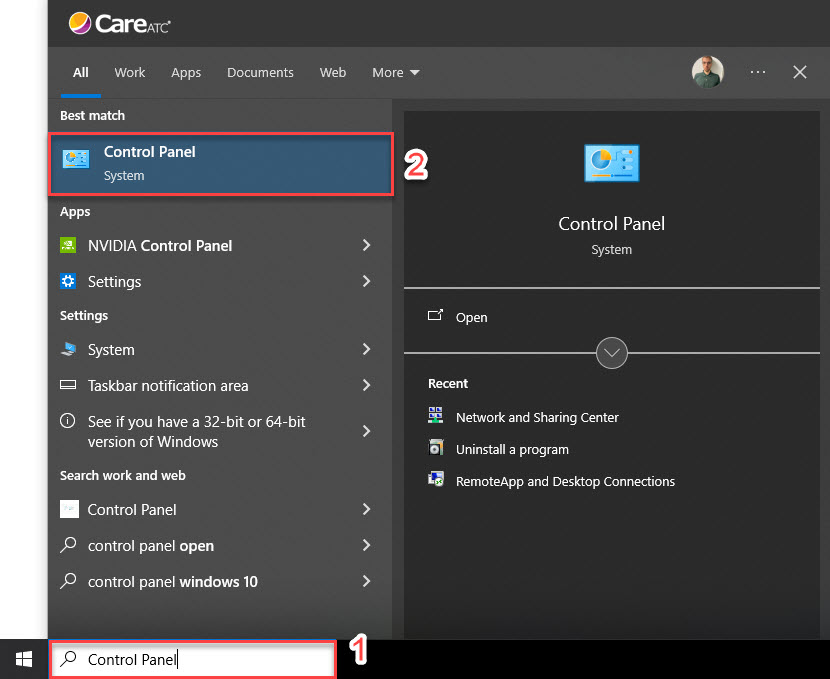
- Click into the bar in the bottom-left of your screen that says 'Type here to search' and type in "Control Panel" (without the quotes)
- Click on the option shown in the screenshot below that says 'Control Panel' with the word 'System' below it
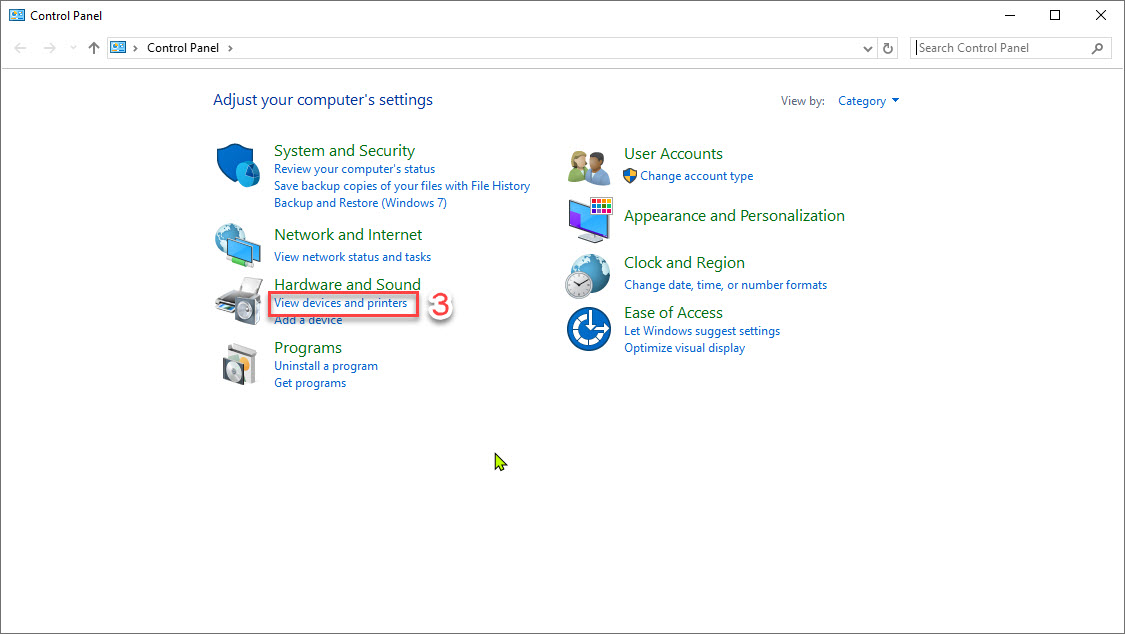
- In the Control Panel window, select 'View devices and printers'
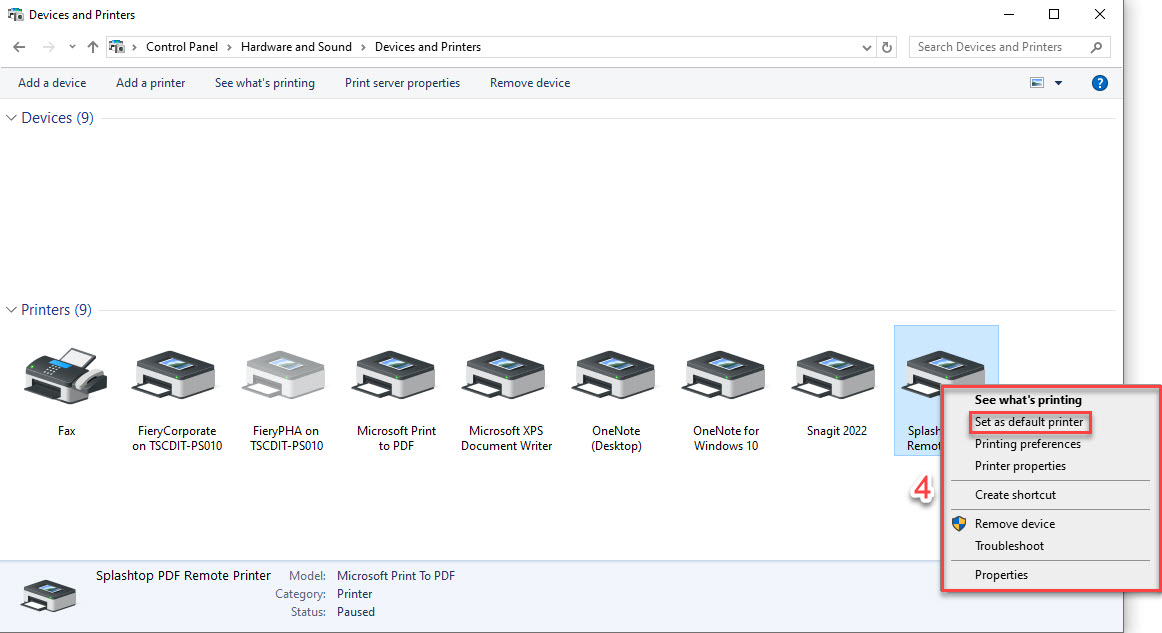
- Right-click the printer you want to print requisitions from and select 'Set as default printer'